

Live Now!
Give your AI agent eyes on production!*
AI coding agents can write code, but they’re blind to production. Comie gives them real production context.
Connect your AI with










Setup in under 60 seconds*
Install once. Works across your entire AI coding workflow.
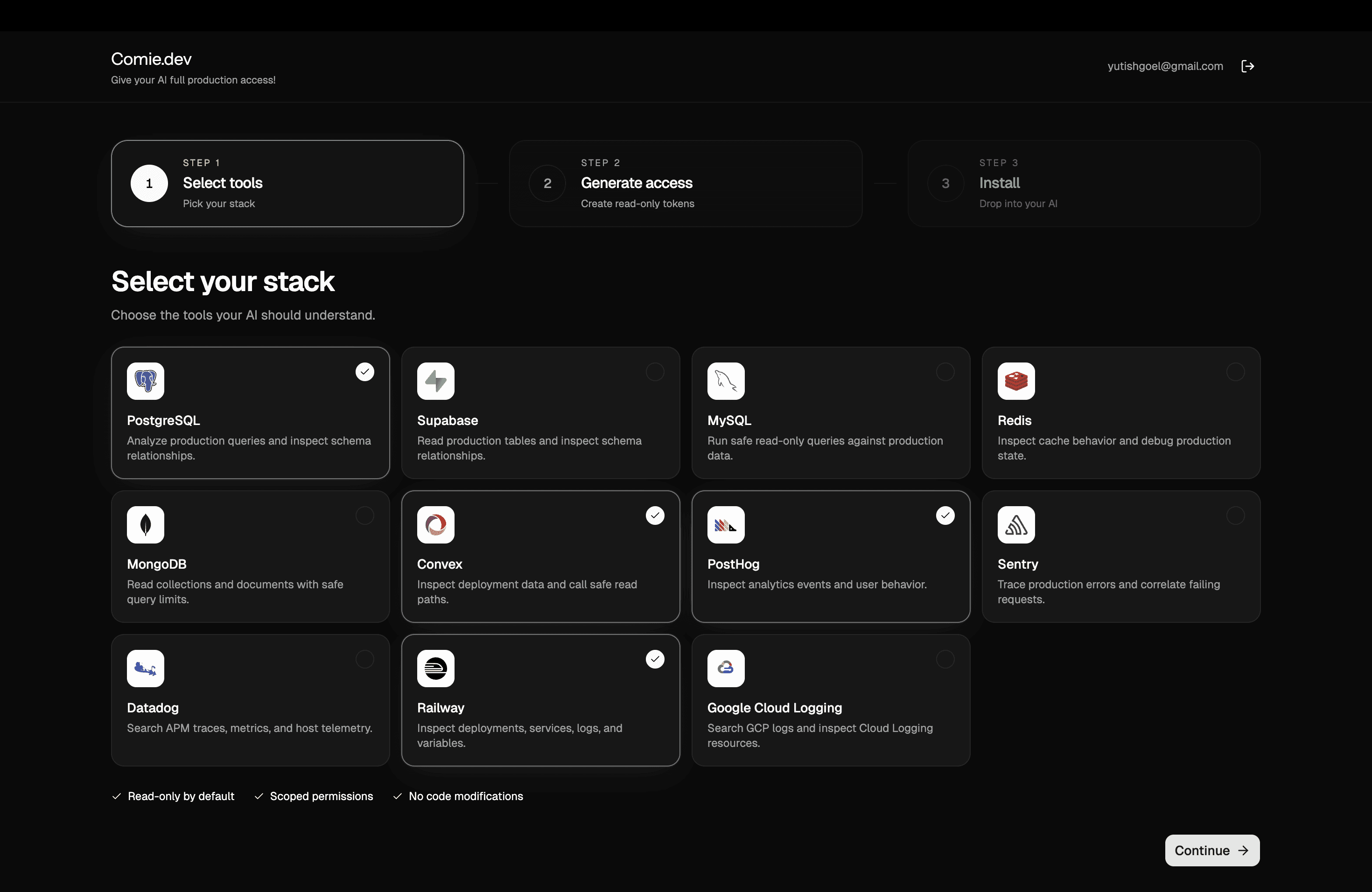
01
Select your stack
Choose the tools your production environment already uses.
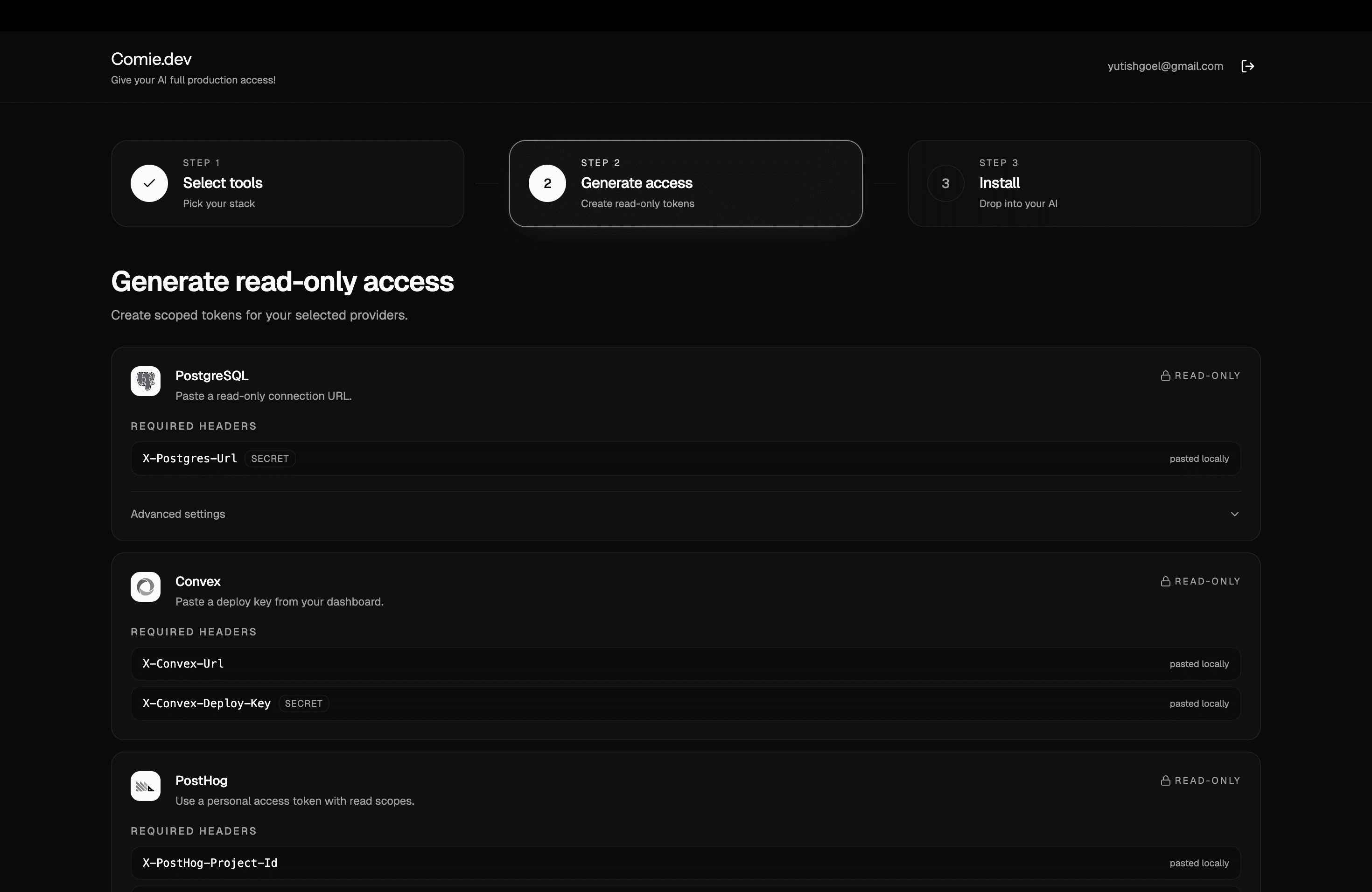
02
Generate read-only access
Create scoped tokens so your AI can safely understand production context.
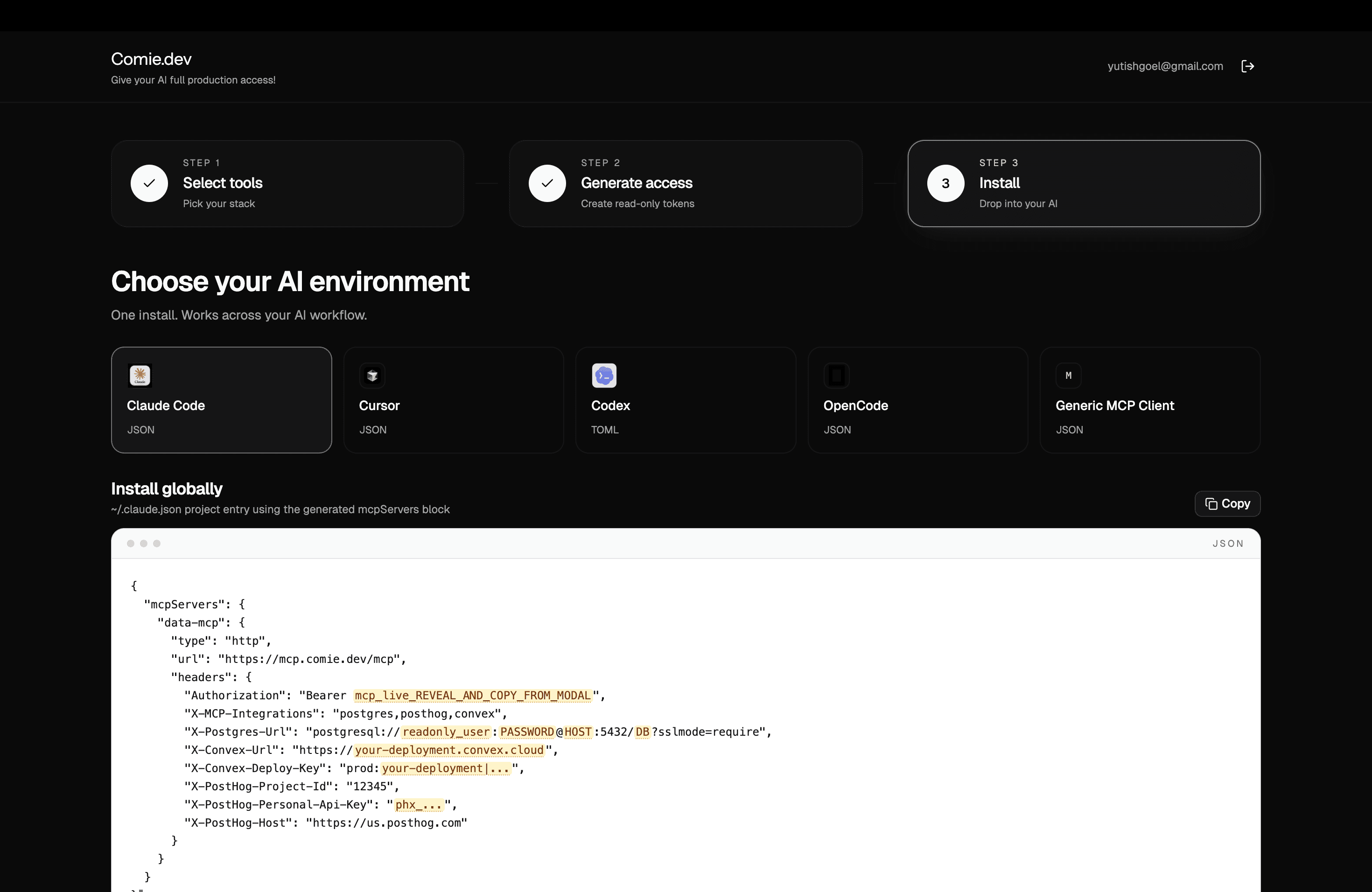
03
Copy one command, paste it into your terminal, and use it across Claude Code, Cursor, Codex, and more.
Install globally
Pricing
Start with the 7-day free trail!
Monthly
Yearly
20% OFF
Pro
7-day free trial!
$8
$8
/month
Give your AI production context across your entire stack.
Production stack
PostgreSQL
Redis
Sentry
PostHog
MongoDB
Datadog
Supabase
Convex
Railway
Features
Read-only by default
Works with Claude Code, Cursor, Codex, and more
Global MCP support
Setup in under 60 seconds
No IDE plugins required
Got any questions?
01
What is Comie.dev?
Comie.dev is a production context layer for AI coding agents. It connects tools like Cursor, Claude Code, and Codex to your production stack in safe read-only mode, so agents can debug, validate, and reason against real production systems while you build.
02
Which tools does Comie support?
We currently support integrations across databases, observability, analytics, and infrastructure tools including: PostgreSQL MySQL MongoDB Redis Supabase Convex PostHog Sentry Datadog More integrations are being added continuously.
03
Is Comie read-only?
Yes. Comie is read-only by default. Agents can inspect logs, traces, analytics, schemas, queries, and infrastructure context, but cannot modify production systems or data.
04
How does Comie work with AI coding tools?
Comie plugs into existing agentic coding environments through MCP-compatible integrations. You continue using tools like Cursor, Claude Code, Codex, or OpenCode normally — Comy simply gives them production awareness.
05
Can Comie help debug production incidents?
Yes. Comie allows agents to: inspect logs trace failing requests correlate analytics events inspect database state identify problematic code paths reproduce issues locally suggest fixes directly inside your editor
06
Does Comie store our production data?
No raw production data is permanently stored by default. Comie retrieves scoped context needed for reasoning and debugging while respecting provider permissions and access controls.
06
Does Comie replace observability tools like Sentry or Datadog?
No. Comie sits on top of your existing stack and gives AI agents the ability to reason across those tools together. Think of it as an operational context layer for coding agents.
07
How long does setup take?
Most teams are fully connected in under 60 seconds. Select your stack, add your provider keys, run one install command, and your agents immediately gain production context.
08
Who is Comie built for?
Most AI coding tools only understand code. Comie helps agents understand production systems: databases logs analytics infra traces runtime behavior So agents can reason about how code actually behaves in production.
Your prod, inside your AI agent.
Install once in terminal. Works across Claude Code, Cursor, Codex, OpenCode, and more.


Live Now!
Give your AI agent eyes on production!*
AI coding agents can write code, but they’re blind to production. Comie gives them real production context.
Connect your AI with

Setup in under 60 seconds*
Install once. Works across your entire AI coding workflow.
01
Select your stack
Choose the tools your production environment already uses.
02
Generate read-only access
Create scoped tokens so your AI can safely understand production context.
03
Copy one command, paste it into your terminal, and use it across Claude Code, Cursor, Codex, and more.
Install globally
Pricing
Start with the 7-day free trail!
Monthly
Yearly
20% OFF
Pro
7-day free trial!
$8
$8
/month
Give your AI production context across your entire stack.
Production stack
PostgreSQL
Redis
Sentry
PostHog
MongoDB
Datadog
Supabase
Convex
Railway
Features
Read-only by default
Works with Claude Code, Cursor, Codex, and more
Global MCP support
Setup in under 60 seconds
No IDE plugins required
Got any questions?
01
What is Comie.dev?
Comie.dev is a production context layer for AI coding agents. It connects tools like Cursor, Claude Code, and Codex to your production stack in safe read-only mode, so agents can debug, validate, and reason against real production systems while you build.
02
Which tools does Comie support?
We currently support integrations across databases, observability, analytics, and infrastructure tools including: PostgreSQL MySQL MongoDB Redis Supabase Convex PostHog Sentry Datadog More integrations are being added continuously.
03
Is Comie read-only?
Yes. Comie is read-only by default. Agents can inspect logs, traces, analytics, schemas, queries, and infrastructure context, but cannot modify production systems or data.
04
How does Comie work with AI coding tools?
Comie plugs into existing agentic coding environments through MCP-compatible integrations. You continue using tools like Cursor, Claude Code, Codex, or OpenCode normally — Comy simply gives them production awareness.
05
Can Comie help debug production incidents?
Yes. Comie allows agents to: inspect logs trace failing requests correlate analytics events inspect database state identify problematic code paths reproduce issues locally suggest fixes directly inside your editor
06
Does Comie store our production data?
No raw production data is permanently stored by default. Comie retrieves scoped context needed for reasoning and debugging while respecting provider permissions and access controls.
06
Does Comie replace observability tools like Sentry or Datadog?
No. Comie sits on top of your existing stack and gives AI agents the ability to reason across those tools together. Think of it as an operational context layer for coding agents.
07
How long does setup take?
Most teams are fully connected in under 60 seconds. Select your stack, add your provider keys, run one install command, and your agents immediately gain production context.
08
Who is Comie built for?
Most AI coding tools only understand code. Comie helps agents understand production systems: databases logs analytics infra traces runtime behavior So agents can reason about how code actually behaves in production.
Your prod, inside your AI agent.
Install once in terminal. Works across Claude Code, Cursor, Codex, OpenCode, and more.